Why do you need Bustly if you already use Sidekick?
Sidekick works directly in Shopify, using store context, Skills and supported app extensions. Bustly organizes DTC experts, market intelligence and permissions across the commerce and marketing tools your team connects.
A native Shopify assistant vs. a cross-application DTC workspace
Shopify Sidekick
Shopify’s built-in commerce assistant
Sidekick uses Shopify admin context to help with analysis, store changes and multi-step workflows. Supported app extensions can add third-party data and actions.
Native Shopify data and admin actions
Shopify Flow and store workflows
Supported app extensions and saved skills
Bustly
A DTC workspace across connected applications
Bustly organizes professional experts and reusable Skills across connected commerce tools. Business groups and member permissions manage access, while persistent monitoring brings external market evidence into the work.
Experts across commerce and marketing work
Business groups and application permissions
External intelligence with retained history
Why Bustly is different
Keep the specialist methods and team access together as your business spans more tools.
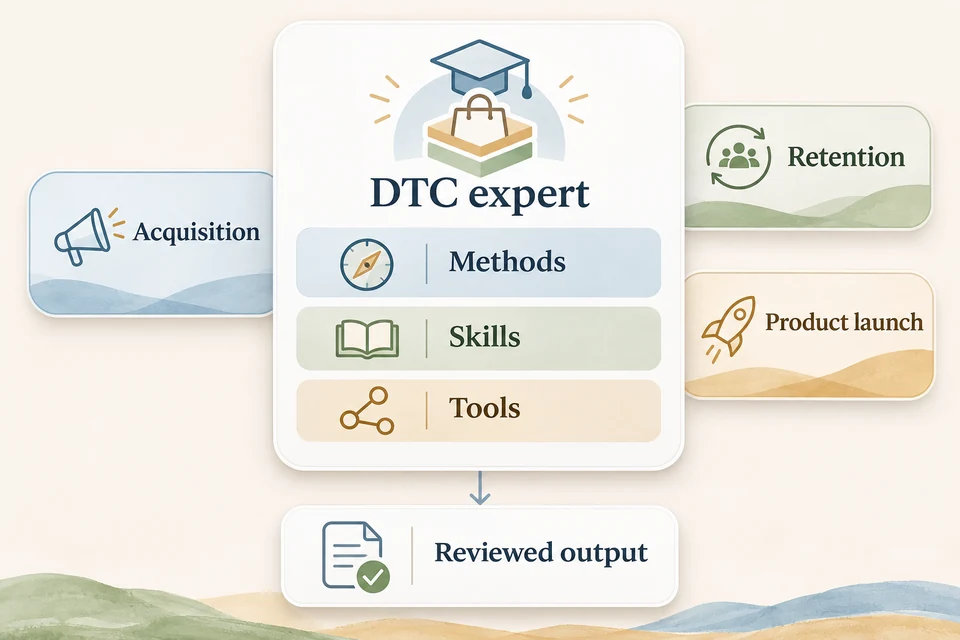
Experts across operating functions
Sidekick understands Shopify work. Bustly prepares separate methods for customer acquisition, research, product launch and customer retention across connected tools.
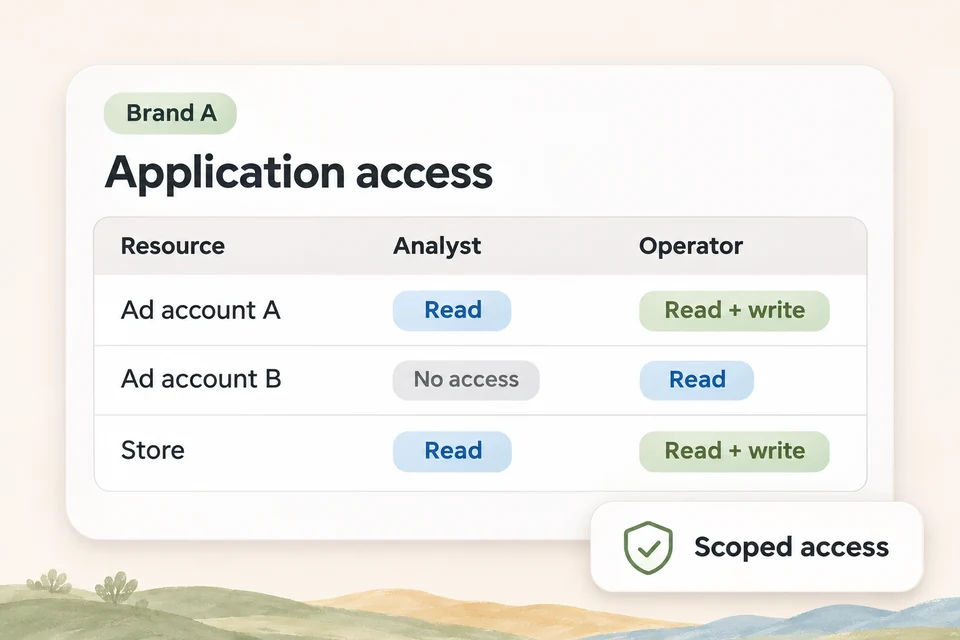
Permissions across connected applications
Sidekick follows Shopify user permissions. Bustly assigns supported resources from different applications to business groups and members.
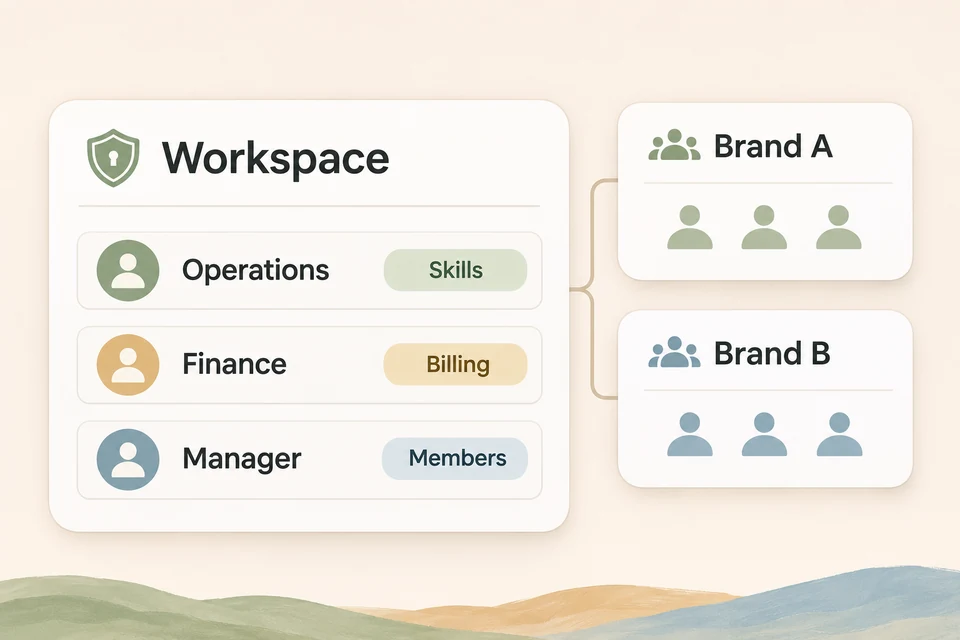
Organize teams around responsibilities
Workspace roles and business groups organize shared methods, people and connections for different brands or regions.
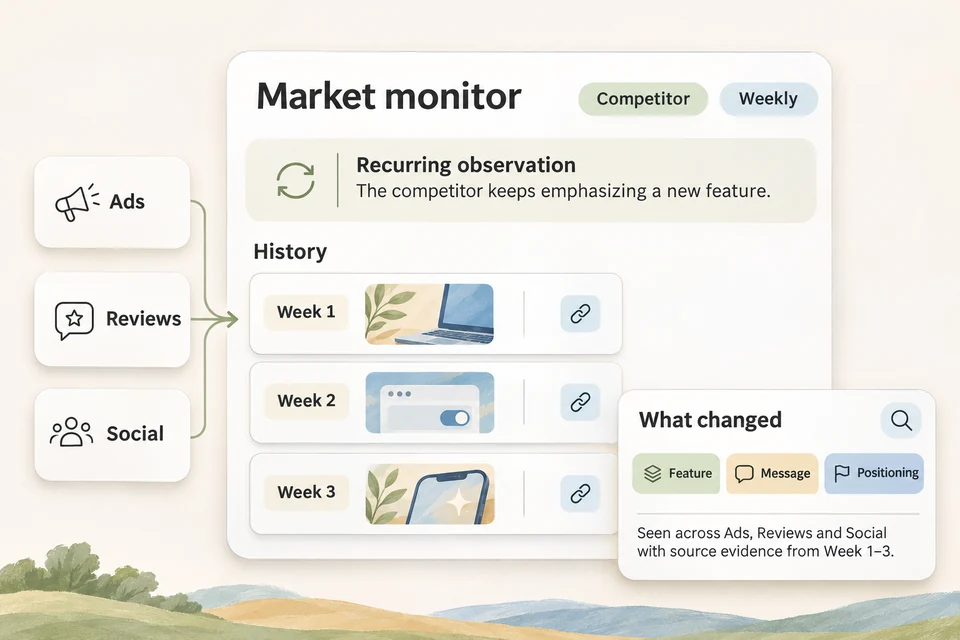
Keep external market evidence over time
After authorized collection starts, monitors retain evidence from selected sources over time, complementing store data.
Where Bustly does more for DTC
01 · Application permissions
Manage account access across your commerce tools.
Bustly connects supported commerce, advertising and marketing applications. Assign their connections or supported resources to business groups, then give members read or action access. This lets the team organize access around the business it operates, including tools used alongside the store.
02 · DTC experts
Different experts for customer acquisition, products and customer retention.
Experts bring a defined remit and working method to each operating discipline. They choose relevant Skills and use authorized applications, including the systems around a store. The brand team can select the expertise a task needs while keeping its own business context in view.
03 · Workspace permissions
Organize members around brands and regions.
Business groups bring assigned members and application resources together inside a workspace. Roles define management responsibilities such as members, connections, shared Skills and audit access. Teams can keep those responsibilities separate from the business-data permissions used by their experts.
04 · Market intelligence
Add a lasting view of competitors and customers.
Create a monitor for a brand, competitor or topic, select available sources and define the collection cadence. Once collection starts, evidence and history are retained for later analysis. The research expert can compare observations and explain source gaps alongside the findings.
Feature comparison: Bustly vs Shopify Sidekick
Bustly vs Shopify Sidekick
Feature
Bustly
Shopify Sidekick
Application permissions
BustlyAssign connections and supported resources to business groups, then control each member’s read or action access.