AI Brain for Commerce
The work you can hand over.
Product listings, advertising, email marketing and business reviews. Explore the tasks, sample deliverables and approvals involved.
Illustrative workflows with sample data and a fictional brand, not customer results.
01Product listings
Launch products on Shopify
“Here are the product details and images. Put these new products in the store.”
You receive
Product pages, live links and open items.
- Prepare product facts and brand copy
- Create or update product information
- Publish within the agreed scope
YOU CONFIRM:Product facts, prices, stock and publishing scope.
Product content and store previewContent sample · confirm before publishing
northgoods.example / everyday NORTH / GOODSEVERYDAY, CONSIDERED.

THE EVERYDAY COLLECTIONMade for
your everyday.
Explore the sneaker Everyday sneaker · Ivory
Lace-up · Rubber sole · Sizes 36–44
Product detailsProduct titleEveryday sneaker · Ivory
Search titleEveryday sneaker in ivory | NORTH / GOODS
Search descriptionDiscover the ivory lace-up sneaker with a rubber sole. Available in sizes 36–44.
Image alt textIvory lace-up sneaker with a cream rubber sole, side view.
Evidence and approvals
EVIDENCE
Product brief: ivory low-top; lace-up; rubber sole; sizes 36–44. Price and stock are confirmed by your team.
SCOPE
Confirm the product facts, price, stock and destination before publishing.
Reusable rules
Approved product facts, brand voice and publishing requirements remain available for the next batch.
02Ad operations
Handle ads for sold-out products
“Which ads still promote sold-out products? Check the matches and pause the ones that need it.”
You receive
Ad changes and outstanding actions.
- Match ads to products and current stock
- Pause ads for confirmed sold-out variants
- Recheck platform status and record unresolved items
YOU CONFIRM:The specific ads, pause scope and account access.
Ad check and change proposalProposal sample · changes require authorization
Stock check · 3 linked variants
Inventory × active ads
Shopify × Google Ads02ads to review
01in-stock variant retained
WHY THIS CHANGE?The first two ads point to variants with no available stock.
Your approval is needed before a change. Evidence and approvals
EVIDENCE
Illustrative store stock matched to three ad destinations. All numbers in this sample are fictional.
SCOPE
Review each ad and the latest stock position before authorizing a pause.
Reusable rules
Confirmed product matches, handling rules and past decisions stay available for the next task.
03Email marketing
Create a complete brand email
“Create a new-product email for returning customers, in our brand’s style.”
You receive
A complete email and pre-send checklist.
- Write and design the complete email
- Define audience criteria and exclusions
- Check links, product details and sending requirements
YOU CONFIRM:Offers, marketing consent, audience and sending arrangements.
Complete branded emailEmail draft · your team arranges sending
SubjectMeet your new everyday pair.
PreheaderA familiar favourite, in a fresh shade.
NORTH / GOODSTHE EVERYDAY EDITFIND YOUR NEXT EVERYDAY PAIR
Good days.
Great shoes.
Your next everyday pair is here. Meet the ivory sneaker: a clean, easy-to-style addition to the collection you already know.
Find your next pair Evidence and approvals
EVIDENCE
Uses the supplied sneaker information and the sample brand voice. Audience eligibility is a rule to confirm, not a live customer list.
SCOPE
Confirm marketing consent, exclusions, links and product availability before sending.
Reusable rules
Brand voice, preferred wording and audience rules stay with the work for the next campaign.
04Business reviews
Review performance. Prioritize actions.
“Review the store and ads together. What should we tackle first this week?”
You receive
A business review and prioritized actions.
- Review store and ad performance
- Explain the evidence behind priority issues
- Follow up selected tasks and unresolved work
YOU CONFIRM:Reporting definitions, priorities and important changes.
Business review and next actionsIllustrative data · follow-on tasks included
WEEKLY BUSINESS REVIEWNORTH / GOODSThe week,
with a next step.
7-day sampleStore revenue$18,400
Ad spend$3,200
PRIORITY FINDINGTwo active ads link to out-of-stock variants.
Check the ad-to-product match and current stock before authorizing any pause.
NEXT ACTIONS01Review the two linked adsAwaiting your decision
02Check the platform after any changeFollow-up required
03Carry unresolved items into next weekKeep in the review
Evidence and approvals
EVIDENCE
Seven illustrative days of store sales and ad spend. Revenue is store revenue, not ad-attributed revenue.
SCOPE
Check the reporting period and data coverage, then choose which actions to proceed with.
Reusable rules
Reporting definitions, past decisions and open items carry forward to the next review.
Work you can see. Control you keep. Know-how you retain.
Illustrative example · Not customer data
A complete product-page draft
Your brief“Prepare this product listing for review.”
NORTH / GOODSShopify
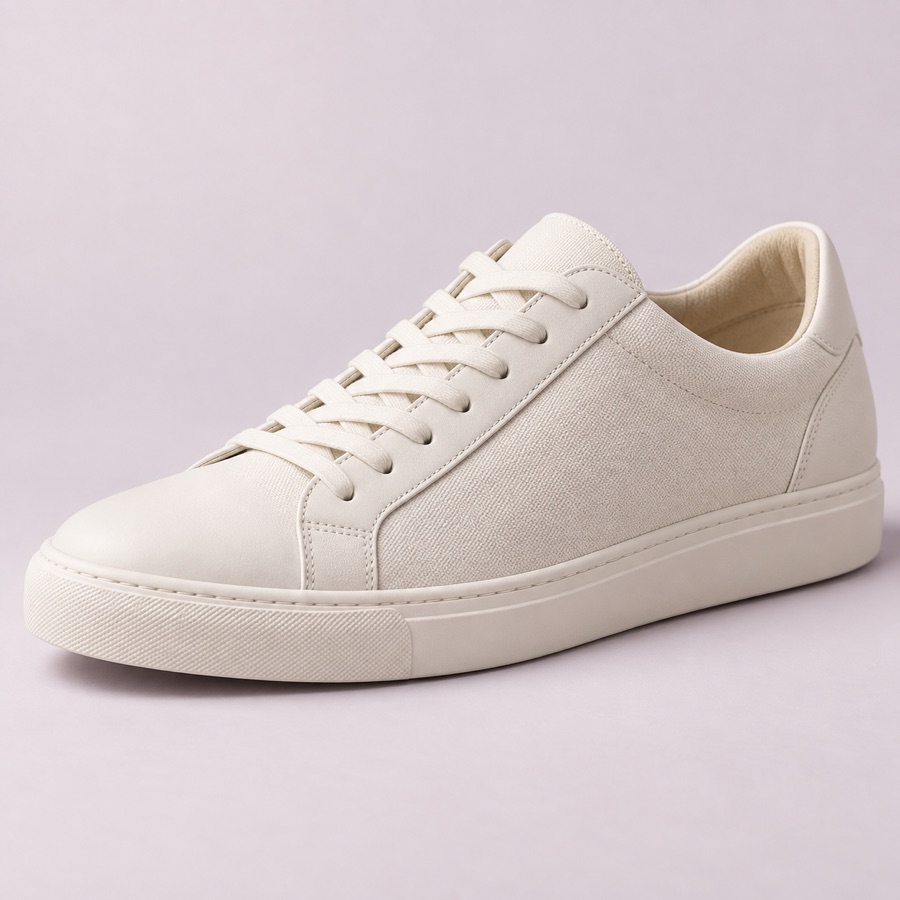
Product titleEveryday sneakers · Ivory
Ivory · Lace-up · Rubber sole
36 · 37 · 38 · 39 · 40 · 41 · 42 · 43 · 44 What Bustly deliversDescription·Search snippet·Product facts
/products/everyday-sneaker
Draft · Not published Illustrative example · Not customer data
An itemized ad-change proposal
Your brief“Check ads for products that are out of stock.”
Proposed changeShopify × Google Ads
02Product out of stock
Pause proposed Everyday sneakers · IvorySNK-001 · AD-101Stock: 0
Pause proposedEveryday / SandSNK-002 · AD-102Stock: 0
Pause proposedAn active campaign promotes an out-of-stock product. Illustrative example · Not customer data
An email ready for your review
Your brief“Draft an email for returning customers.”
SubjectYour next favorite is hereAudienceReturning customers
Your next favorite is here
A fresh choice for your everyday wardrobe, starting with a classic color. Explore the collection we picked for you.
Explore the collection Illustrative example · Not customer data
A weekly review with evidence
Your brief“Turn store and ad data into this week’s next actions.”
Weekly reviewNORTH / GOODS
Revenue$18,400+8%
Ad spend$3,200+25%
FindingAd spend is growing faster than sales.
Next actionReview campaign-level cost and sales before changing budgets.
Product
The Bustly workspace
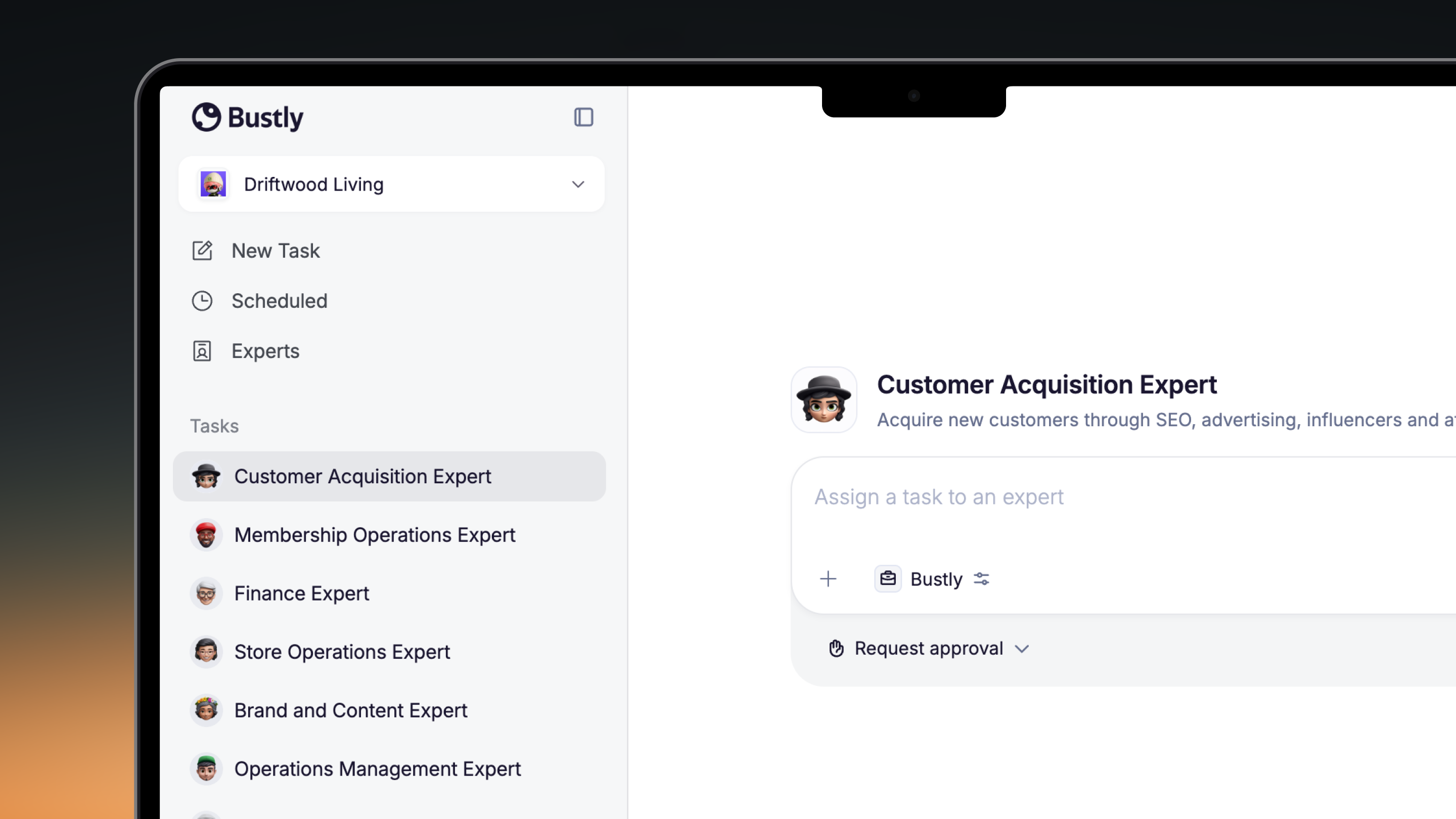
Use the desktop app to assign work, review deliverables and approve changes.
Start free trialKeep your context between tasks
Reuse confirmed brand requirements and work rules in later tasks, with less repeated briefing.
Slack · Feishu · DingTalk
Team plans include Slack, Feishu and DingTalk integrations.
The task walkthrough above is an illustrative example. Ask for a live demo to confirm the exact workflow for your accounts, permissions and plan.
See what Bustly can get doneSee what Bustly can do for your business.
Start with a defined task and a clear finish line.